
Attendee Profiles
Save multiple attendee profiles and reuse them at checkout for future events.
NOTE: Attendee Profiles requires The Events Calendar, Event Tickets, Event Tickets Plus, and Woocommerce.
Built for repeat registrations and real-world programs
Many organizations serve the same families, players, or participants over and over again. Attendee Profiles removes the frustration of re-entering the same information every time someone registers for an event.
Customers can save multiple attendee details to their account and select them again during future registrations, making checkout faster and more accurate.
Why use Attendee Profiles?
Faster checkout for returning customers
When a logged-in customer registers for an event, they can select a saved attendee profile from a simple dropdown. All required fields are filled in automatically.
If they are registering someone new, they can add a new attendee on the spot.
This reduces errors, saves time, and makes repeat registrations much easier for customers responsible for enrolling others.
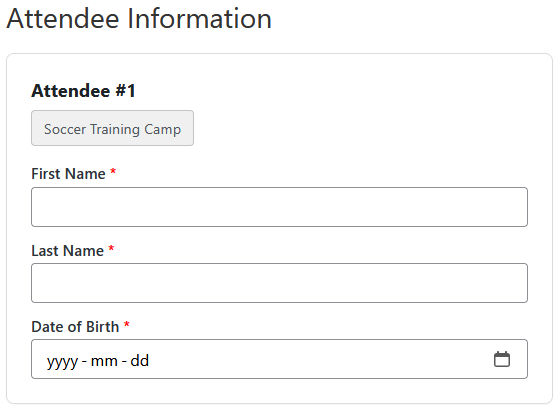
Automatically saves attendee information
Attendee Profiles keeps customer data up to date without extra steps.
If a customer enters a new attendee during checkout, that information is saved to their account automatically.
If they update an existing attendee’s details, the saved profile is updated as well.
There is no separate setup or profile management required.
Preserves what was submitted for each event
Each ticket stores the attendee information exactly as it was entered at the time of registration.
This means staff and coaches always see the correct details for that specific event, even if the customer updates their information later.
This is especially important for age-based programs, waivers, medical notes, or event-specific requirements.
Update important safety information when needed
Sometimes critical information needs to be updated everywhere.
If staff updates an attendee’s medical or emergency details, they can choose to apply those changes across all tickets linked to that attendee. This ensures safety information stays current for both past and upcoming events when necessary.
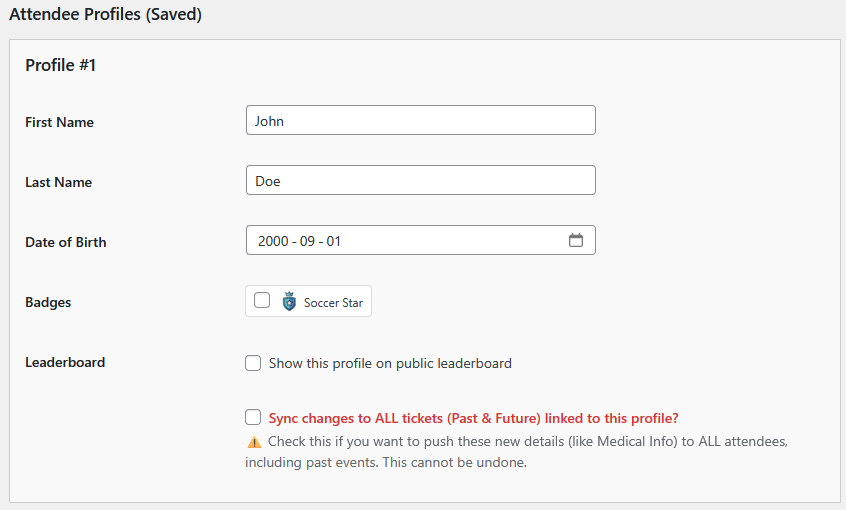
Customizable attendee fields
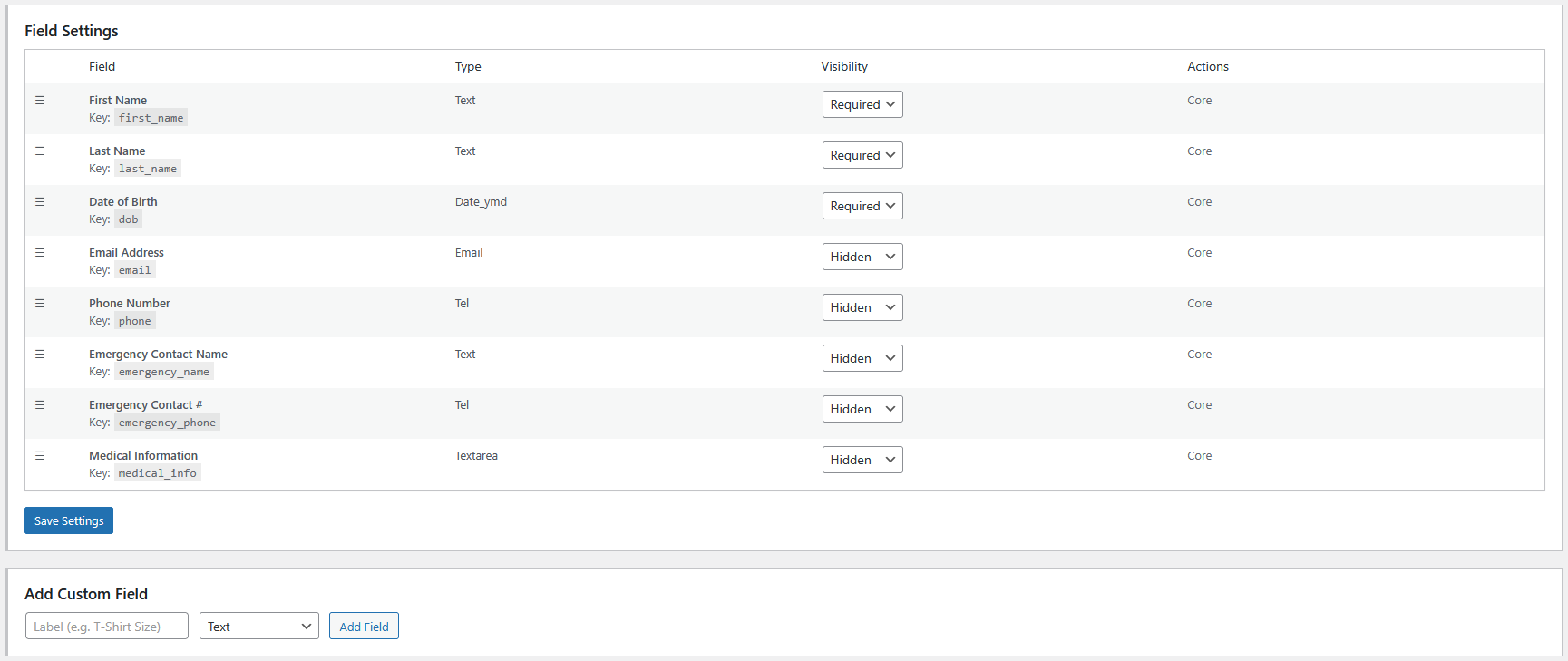
Every organization collects different information. Attendee Profiles includes a field builder so you can create the exact fields you need.
You can add custom fields such as names, birthdates, phone numbers, medical notes, emergency contacts, or selection lists.
Each field can be set as required, optional, or hidden to keep checkout clean and focused.
Staff tools for corrections and support
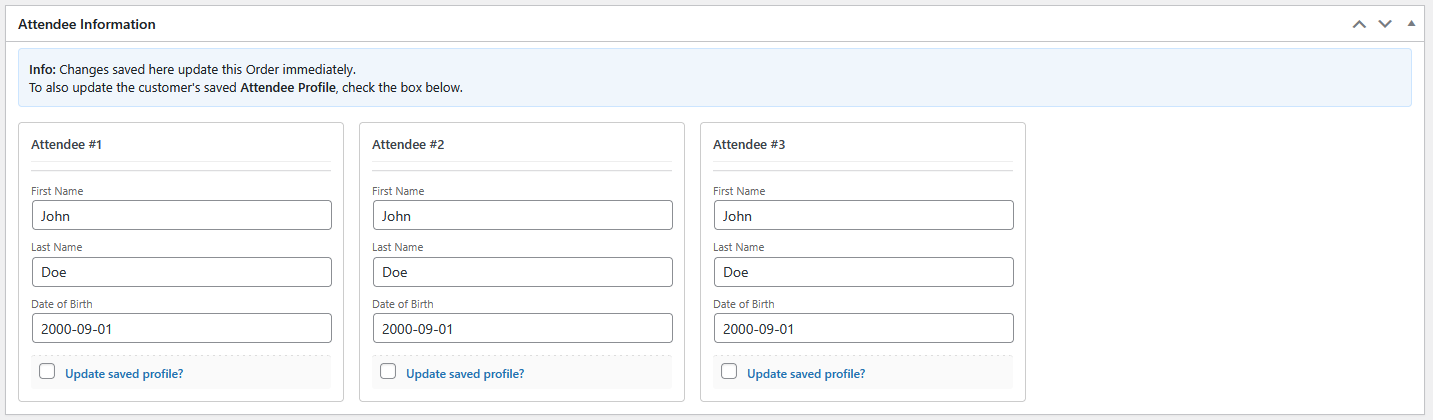
Clear attendee visibility inside event admin pages
Attendee Profiles integrates with The Events Calendar attendee lists so staff can quickly view attendee details associated with each ticket.
Attendee Profiles also integrates into other LogicalWP plugins such as Attendee Manager and Staff Access.
The information shown matches exactly what was submitted for that registration.

Works for guest registrations
Attendance badges and recognition
Attendee Profiles includes an optional badge system that allows you to recognize commitment, participation, and progress automatically.
Badges can be assigned manually or awarded automatically based on event participation or event categories. This makes it easy to acknowledge repeat attendance, program milestones, or special placements without maintaining separate tracking systems.
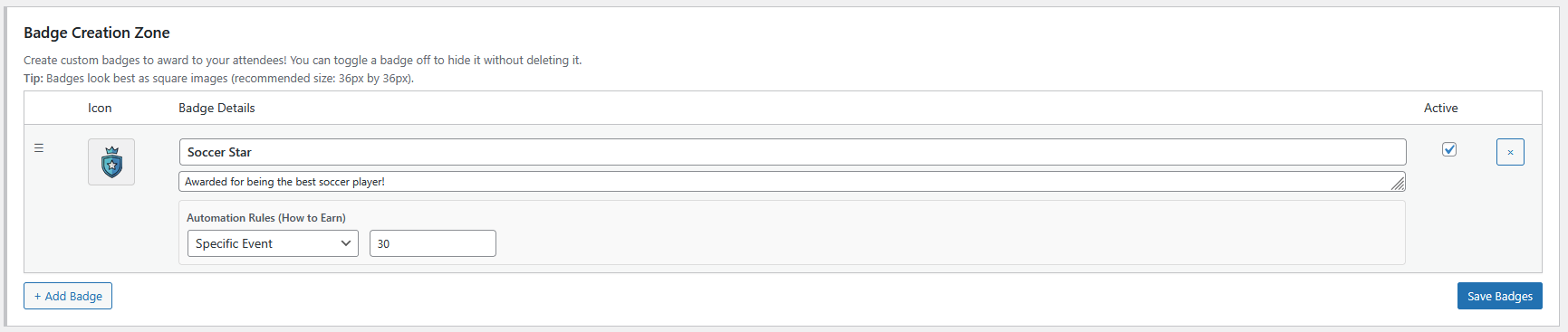
Badges are displayed in the WordPress admin on user pages and directly within WooCommerce order screens, giving staff immediate visibility into an attendee’s status while managing registrations.
Customers can also view earned badges inside their WooCommerce account under the Attendee Profiles tab, making achievements visible beyond a single event.
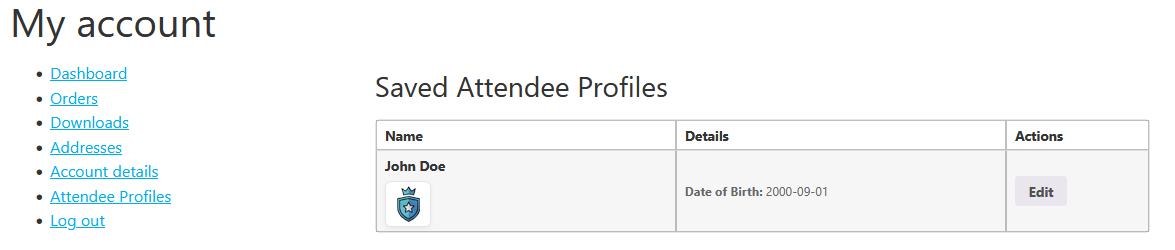
Badges are displayed in the WordPress admin on user pages and directly within WooCommerce order screens, giving staff immediate visibility into an attendee’s status while managing registrations.
Customers can also view earned badges inside their WooCommerce account under the Attendee Profiles tab, making achievements visible beyond a single event.
For organizations using additional LogicalWP tools, badges are shown directly on attendee profile cards inside the Attendee Manager and Staff Access plugins, allowing staff and event teams to recognize participation and designations at a glance.
Because badges are tied to attendee profiles, they persist across events and categories, allowing organizations to build long-term recognition rather than starting fresh each registration cycle.
Badges are optional and fully configurable, so organizations can choose to use them purely for internal visibility or as part of broader engagement strategies.
Drive more sales with smart badge notices
Attendee Profiles automatically detects when an event or category is linked to a badge and displays a promotional notice right on the front end.
These smart nudges appear on Single Event pages and Event Category archives, clearly telling visitors: “Register for this event to unlock the [Badge Name]!” This built-in feature works passively to increase average order value by encouraging customers to earn their badges.
It even extends to the WooCommerce dashboard, where customers see personalized progress notices encouraging them to register for that final event to earn their next badge.

Advanced Custom Mapping for Integrations
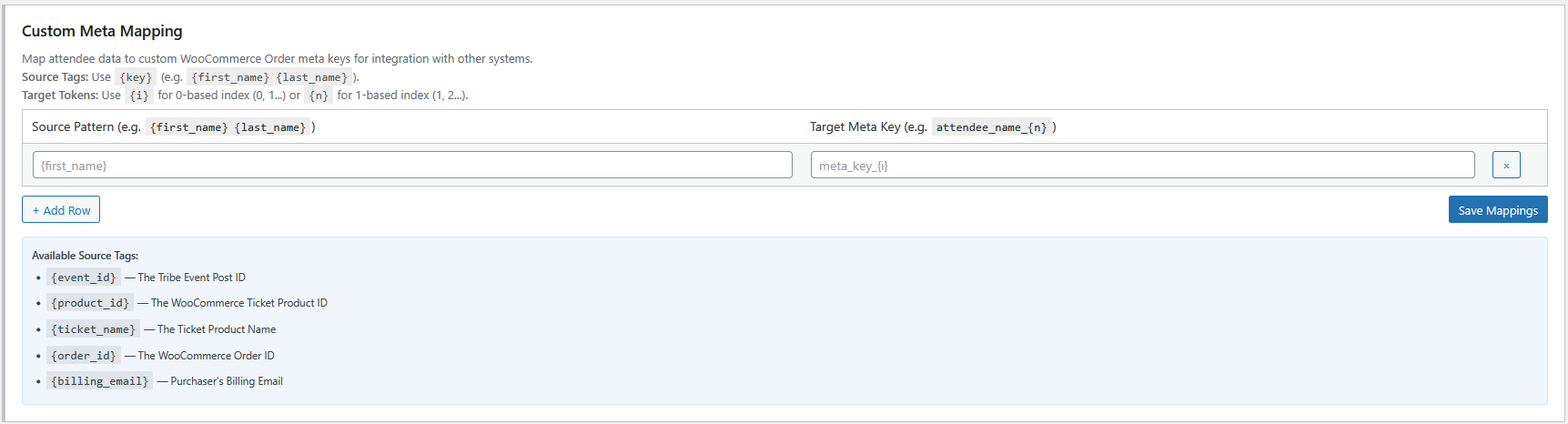
Attendee Profiles empowers you to map attendee input directly to custom WooCommerce Order meta keys using dynamic placeholders.
This feature is essential for connecting with external tools or other plugins that require specific metadata formats. You can define custom source patterns and target keys to ensure your data flows seamlessly to your other systems without custom coding.
Who Attendee Profiles is built for
Troubleshooting: Fields Not Showing?
If you have enabled Attendee Profiles but the fields are not appearing on your checkout page, your site is likely using the new Gutenberg Checkout Block.
The Fix: This plugin relies on standard WooCommerce hooks found in the Classic Checkout.
Simply edit your Checkout page, remove the “Checkout” block, and replace it with the standard shortcode:
[woocommerce_checkout]