
Recurring Schedules
Simplify schedules by adding recurring dates to a single event without creating multiple events.
NOTE: Recurring Schedules requires The Events Calendar to apply schedules to events.
Built for programs that run on schedules & not one-off events
Recurring Schedules is built for organizations that operate on structured, multi-session programs rather than single-date events. Instead of managing dozens of duplicated events, you can define a reusable schedule and attach it to one event, keeping your event system simple and intentional.
This approach reduces clutter, eliminates repetitive work, and makes ongoing program management far more predictable.
Recurring Schedules does not create recurring charges or subscriptions. Payments are only collected once per event during the initial registration.
Why Use Recurring Schedules?
Effortless schedule management
Create a recurring schedule once and reuse it across multiple events without re-entering dates. When schedules change, you update them in one place, ensuring all related events stay accurate without manual corrections.
This is especially useful for long-running programs that evolve over time.
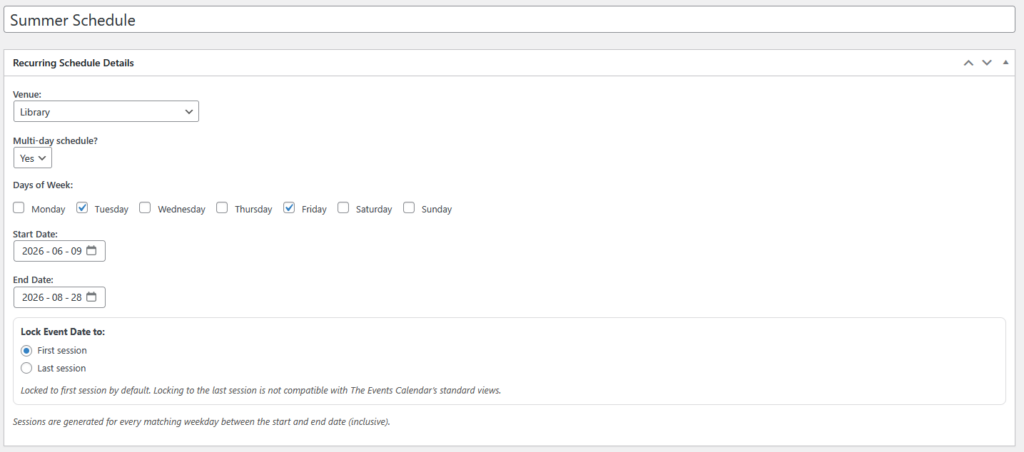
Keep your events clean
Recurring Schedules eliminates the need to create multiple event posts for the same program. By keeping a single event as the source of truth, your event listings remain organized and easier to manage.
This also reduces confusion for staff and avoids bloated admin dashboards.
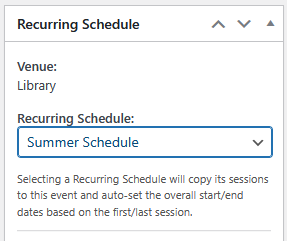
Apply schedules to events in seconds
Schedules can be attached to events directly from the event editor using a simple selector. There’s no complex configuration, no syncing steps, and no need to duplicate event data.
Once applied, the schedule immediately becomes available for display and logic.
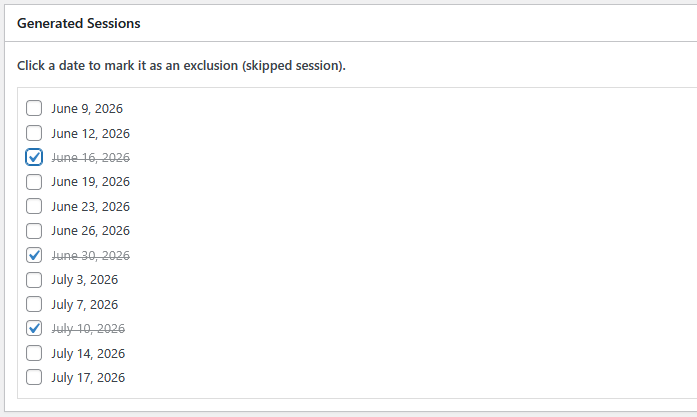
Manage exclusions with ease
Exclude holidays, blackout dates, or special circumstances without breaking the rest of the schedule. Exclusions are handled at the schedule level, so one-off changes don’t require rebuilding the entire program.
This keeps edge cases clean and manageable.
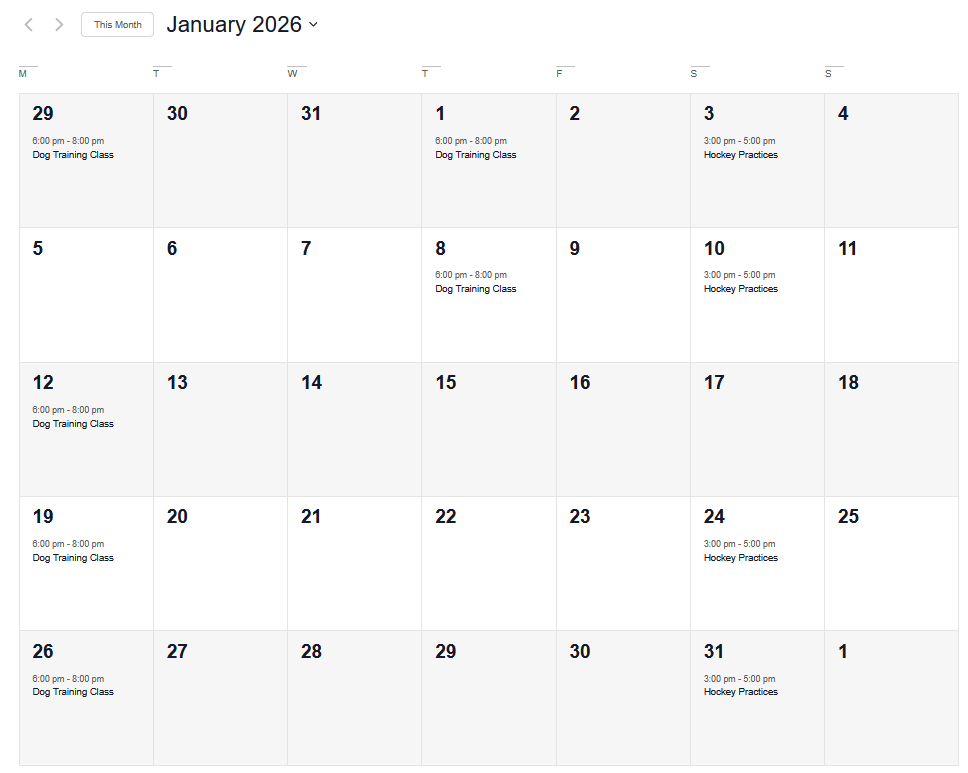
The Events Calendar Native Views
Month View
List View

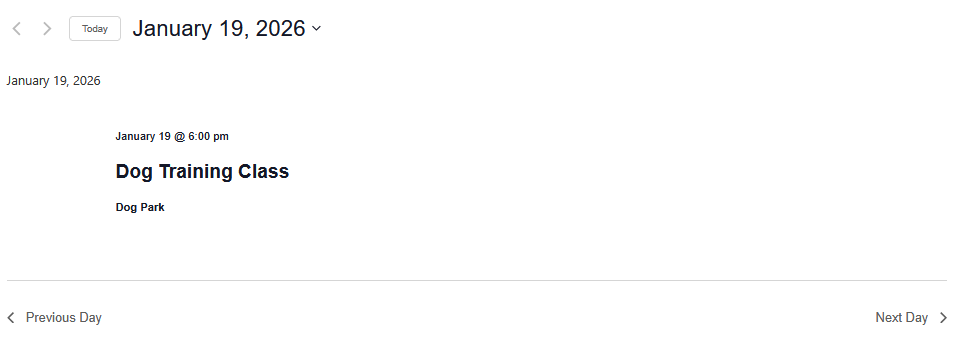
Day View
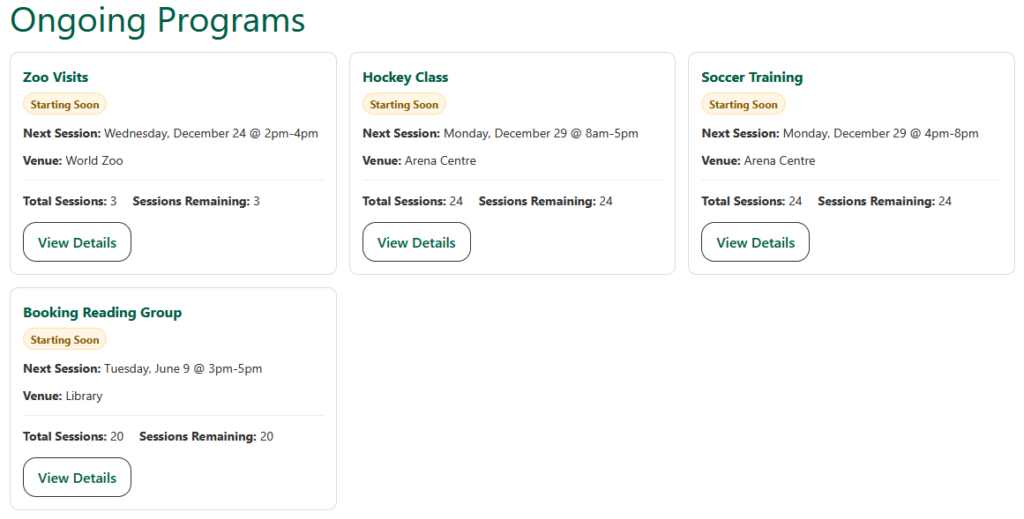
Dedicated running programs view
Recurring Schedules includes a shortcode-powered listing for displaying currently running or upcoming programs. This allows you to create a clear “What’s Running Now” or “Current Programs” page separate from standard event views.
It’s ideal for organizations that want clarity over marketing-style calendars.
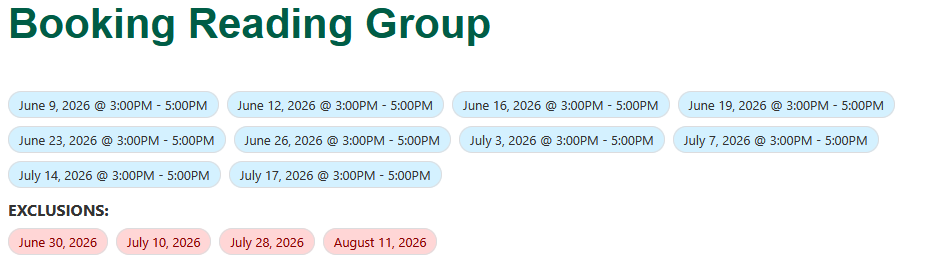
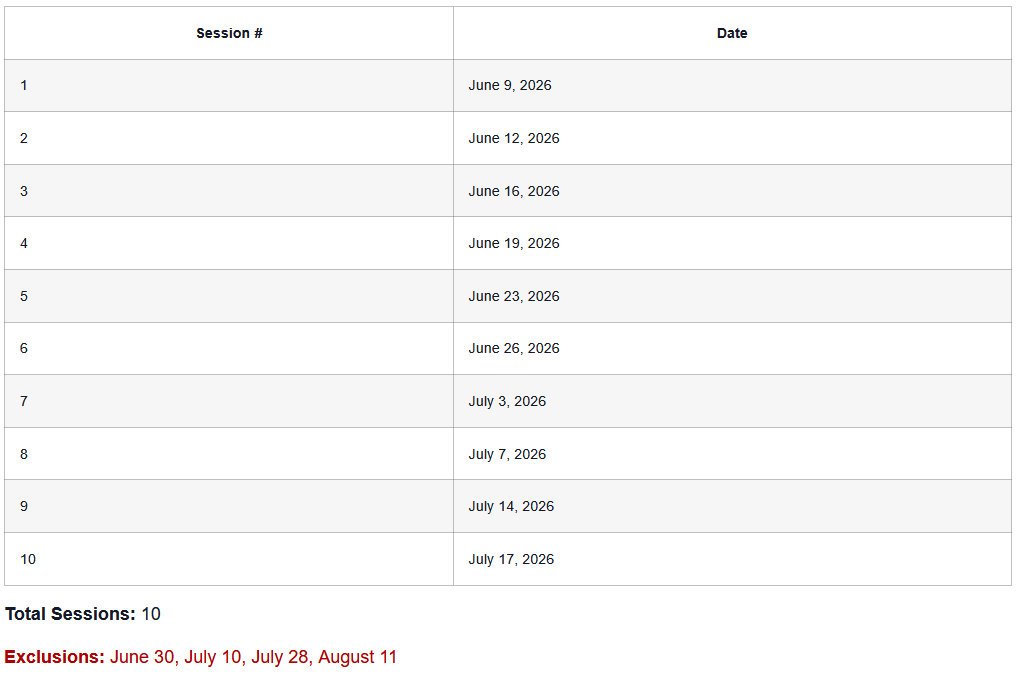
Flexible date output
Session dates can be output anywhere using shortcodes or injected directly into the event content. This gives you full control over how and where schedule information is displayed.
Who Recurring Schedules is built for
Recurring Schedules is designed for organizations that run programs or events on a recurring basis rather than one-off dates. It’s ideal for teams that need consistent session management, predictable scheduling, and centralized control over recurring dates.
This includes, but is not limited to, sports clubs, academies, training programs, classes, multi-week courses & events, or any program structure that operates on a defined schedule.